A readable RPG prototype built around world interaction
Ancient Story is being shaped as a practical Unity project: systems are added through small, testable gameplay slices, then polished into portfolio-ready features. Recent work covers player visibility behind trees, terrain updates, loot screen presentation, arc selection, absorption feedback, and the quest journal described below.
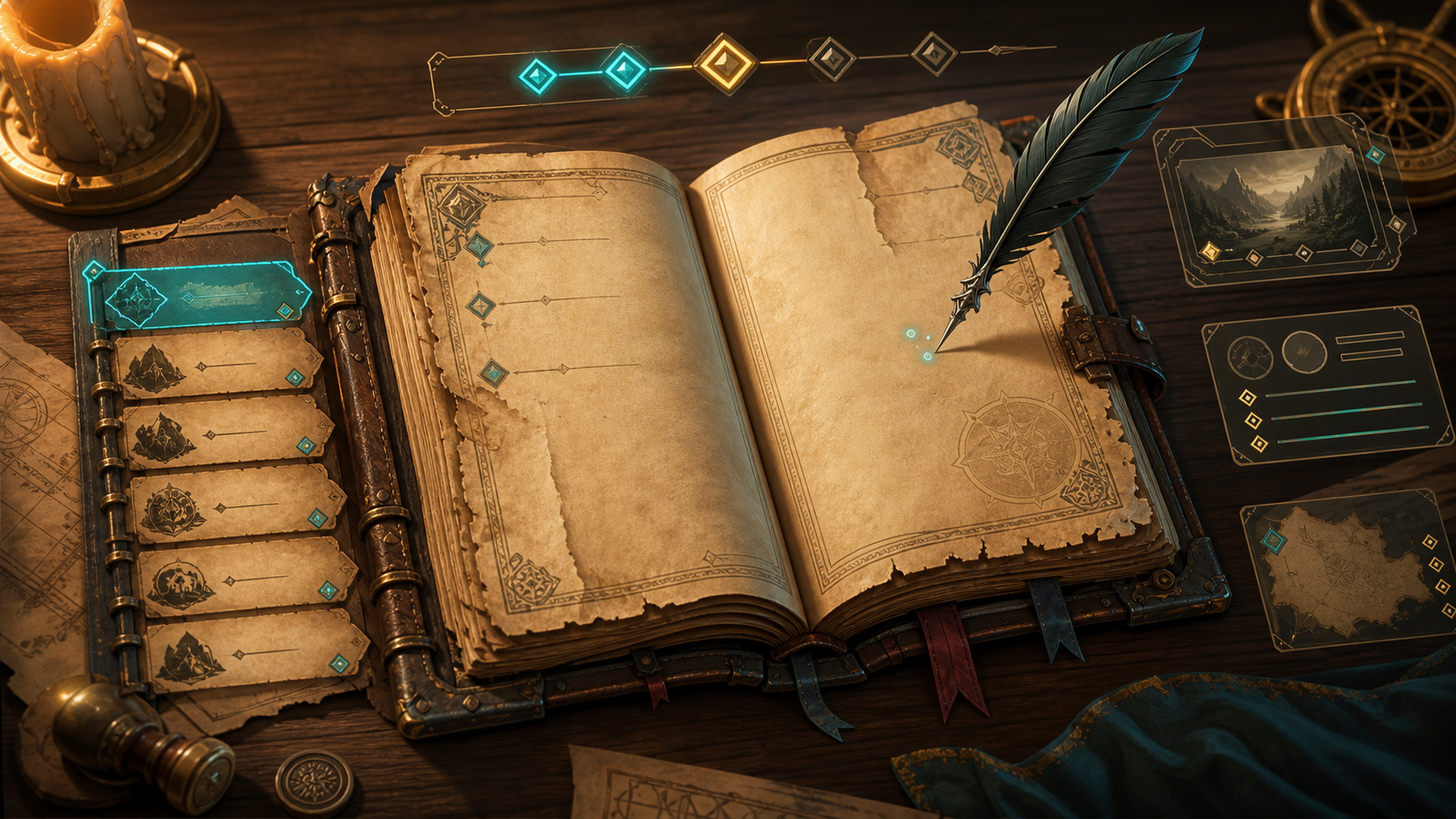
The Journal is the first visible Ancient Story tab because it ties together data, animation, audio feedback, TextMesh Pro measurement, and a handcrafted presentation layer. It is both a gameplay screen and a technical case study for UI state.
Keep selection logic separate from reveal logic
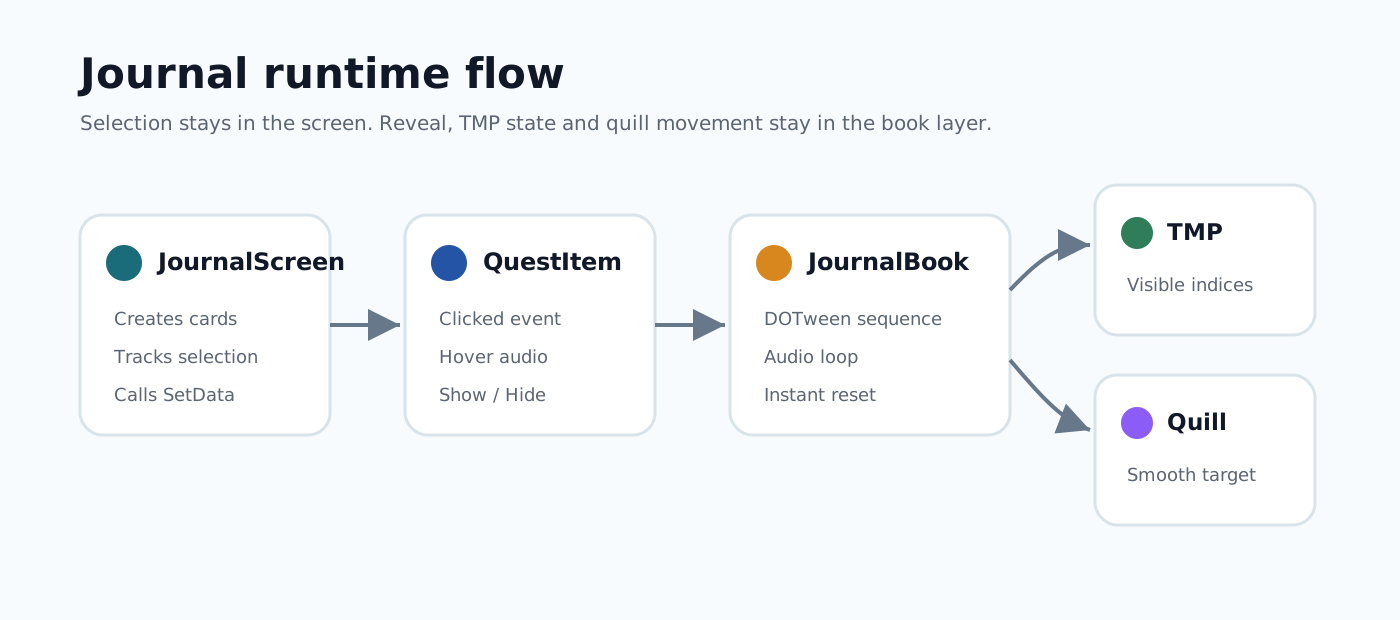
`JournalScreen` is intentionally thin. It creates quest cards, handles hover and click events, tracks the selected card, and decides whether the book should play the reveal sequence or show the current quest instantly. The animation details stay inside `JournalBookComponent`.
private void SelectQuest(QuestDefinition quest)
{
    var selectedQuestView = FindQuestView(quest);

    if (m_selectedQuestView == selectedQuestView)
    {
        m_journalBookComponent.SetDataInstant(quest);
        return;
    }

    m_journalBookComponent.SetData(quest);
    m_selectedQuestView.Hide();
    m_selectedQuestView = selectedQuestView;
    m_selectedQuestView.Show();
}
The book presents quest data in readable stages
`JournalBookComponent` fills title, descriptions, progress data, and memorise text, then starts a DOTween sequence. The quill first moves to the title, the writing audio loop starts, and each text block is revealed in order. The progress icon fades in together with the progress text.
private void PlayTextRevealSequence()
{
    var startPosition = GetQuilRevealStartPosition();

    m_textRevealSequence = DOTween.Sequence()
        .AppendCallback(() => m_quilContainer.TakeQuill(startPosition))
        .AppendInterval(m_quilContainer.TakeDurationSeconds)
        .AppendCallback(PlayRandomTextRevealLoop)
        .Append(RevealText(m_title, m_longRevealDelaySeconds))
        .AppendCallback(StopTextRevealLoop)
        .AppendCallback(PlayRandomTextRevealLoop)
        .Append(RevealText(m_shortDescription, m_longRevealDelaySeconds, false));
}Reveal only visible characters
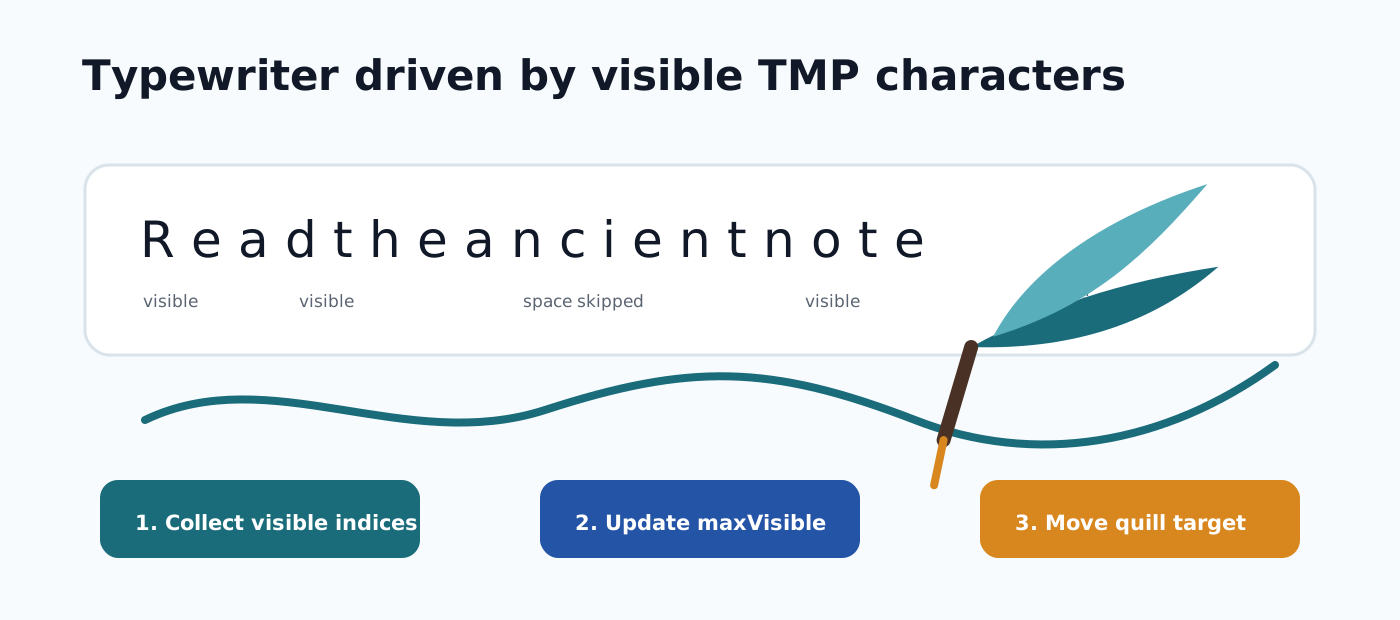
The typewriter does not animate raw string length. It collects only TMP characters where `isVisible` is true. Spaces and newline characters still exist in the rendered text, but they do not consume reveal time. This removes the small pauses that were visible on fast text speeds.
private static List<int> GetVisibleCharacterIndices(TMP_Text textUI)
{
    var textInfo = textUI.textInfo;
    var indices = new List<int>(textInfo.characterCount);

    for (var i = 0; i < textInfo.characterCount; i++)
    {
        if (textInfo.characterInfo[i].isVisible)
        {
            indices.Add(i);
        }
    }

    return indices;
}
The quill position is also derived from TMP character info. The current implementation uses the center of the character bottom edge, transformed into world space.
Follow a target instead of restarting a tween per letter
Restarting a DOMove for every written letter made the quill feel stiff on fast text. `SetQuilPosition` now only updates a target position. While the quill is taken by the journal, `Update` moves it toward that target with `Vector3.SmoothDamp`. A small random fluctuation keeps the movement from feeling perfectly mechanical.
public void SetQuilPosition(Vector3 position)
{
    if (!m_isFollowingQuilTarget)
    {
        m_rectTransform.DOKill();
        m_quilFollowVelocity = Vector3.zero;
    }

    m_quilTargetPosition = position + GetFollowFluctuation();
    m_isFollowingQuilTarget = true;
}Reset TMP visibility before killing the sequence
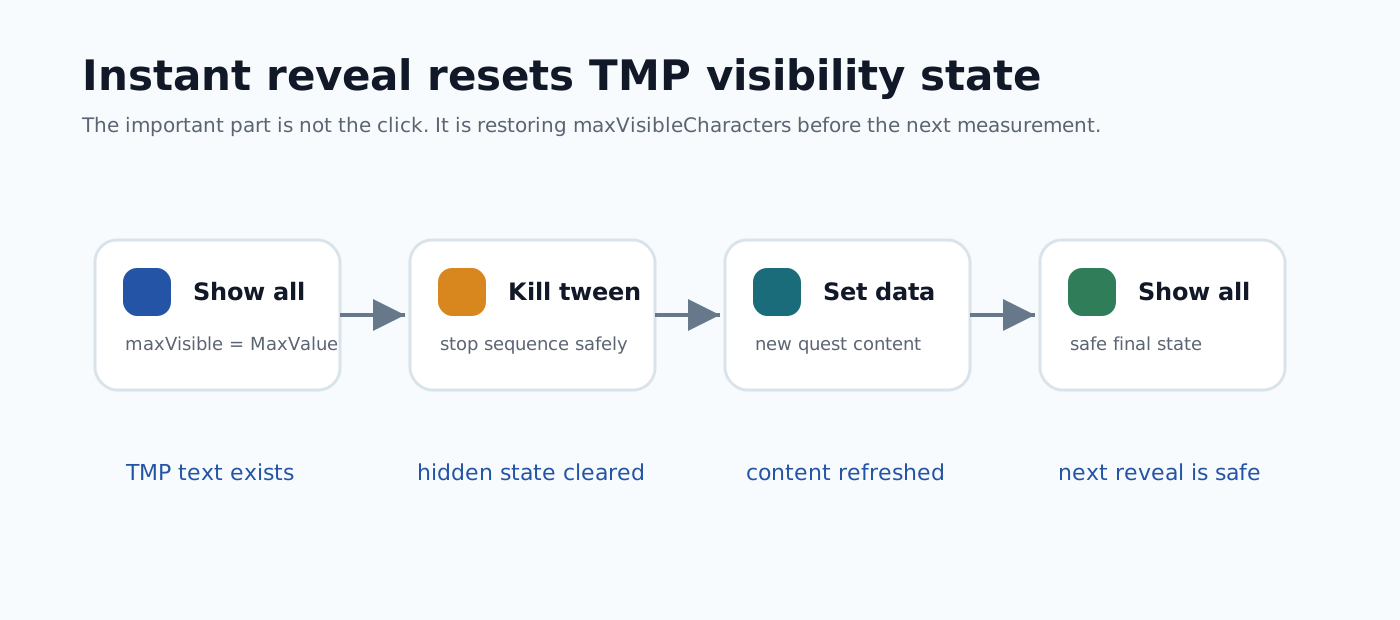
The hardest bug was caused by `maxVisibleCharacters`. If a typewriter tween was killed while a TMP field had `maxVisibleCharacters = 0`, later measurement could see an empty visible text state. `SetDataInstant` now shows all text before killing the sequence, assigns the new quest data, refreshes wrapped text, and shows all text again.
public void SetDataInstant(QuestDefinition questDefinition)
{
    ShowAllTextInstantly();
    KillTextRevealSequence();

    m_title.text = questDefinition.Title;
    m_shortDescription.text = questDefinition.ShortDescription;
    m_longDescription.text = questDefinition.LongDescription;

    m_memoriseTextWrap.RefreshFromSettings();
    m_longTextWrap.RefreshFromSettings();

    ShowAllTextInstantly();
    StopTextRevealLoop();
}
Final rule: if `maxVisibleCharacters` is used for animation, completion, kill, instant reveal, and TMP measurement must restore full visibility deliberately.